
Three screens. That's the whole tour.
CalmMessage rewrites emotionally charged messages into calmer, clearer ones, right where you already type. Here's what you'll see the first time you use it.
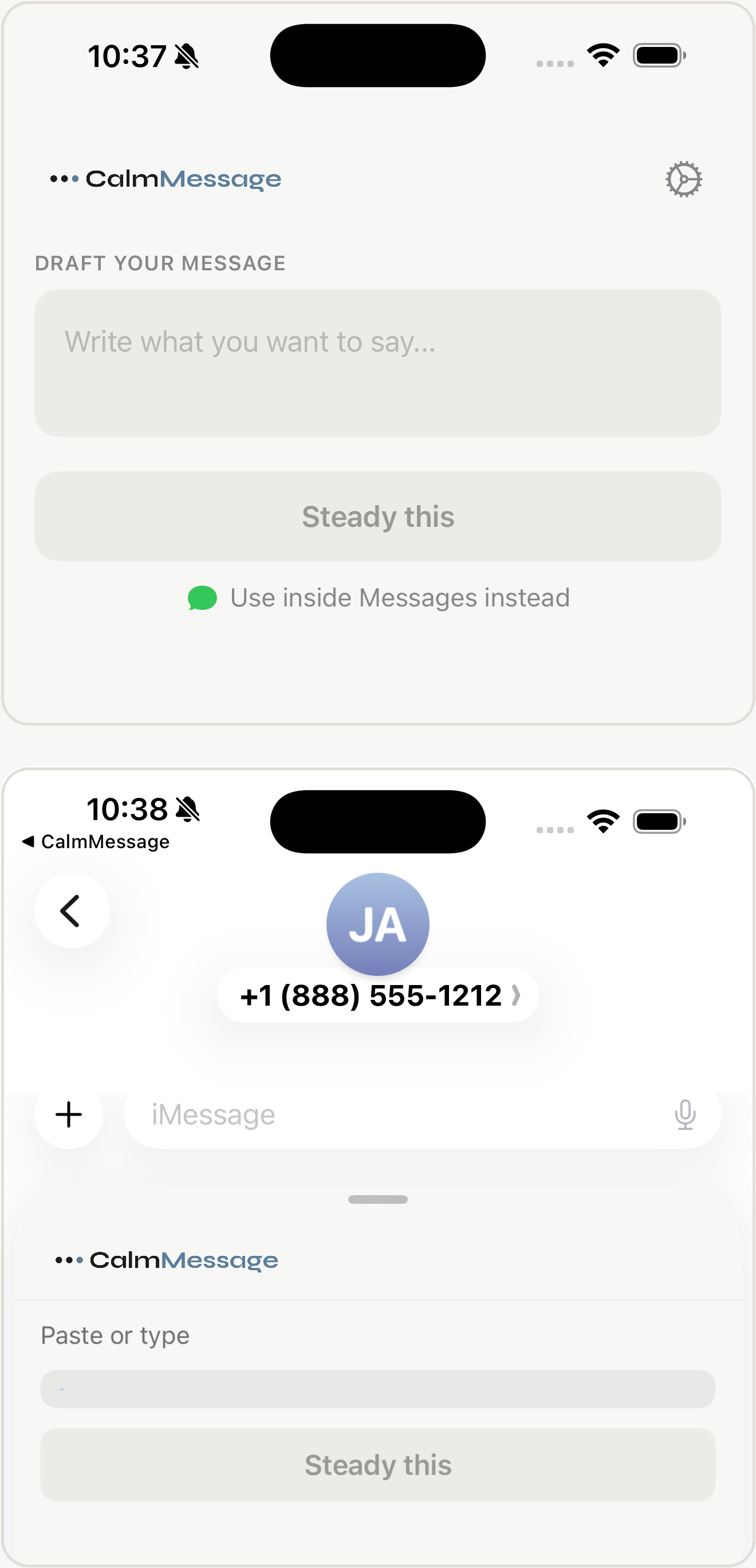
CalmMessage lives in two places.
In the app
When you need to think.
Write it out, rewrite it, sit with it, copy it. Nothing sends from here. This is the room where you draft the message you don't want to get wrong.
In Messages
When you're already typing.
Open a conversation, tap the + button next to the text field, and choose CalmMessage. It rewrites what you've already typed, right there in the thread. You still choose whether to send.
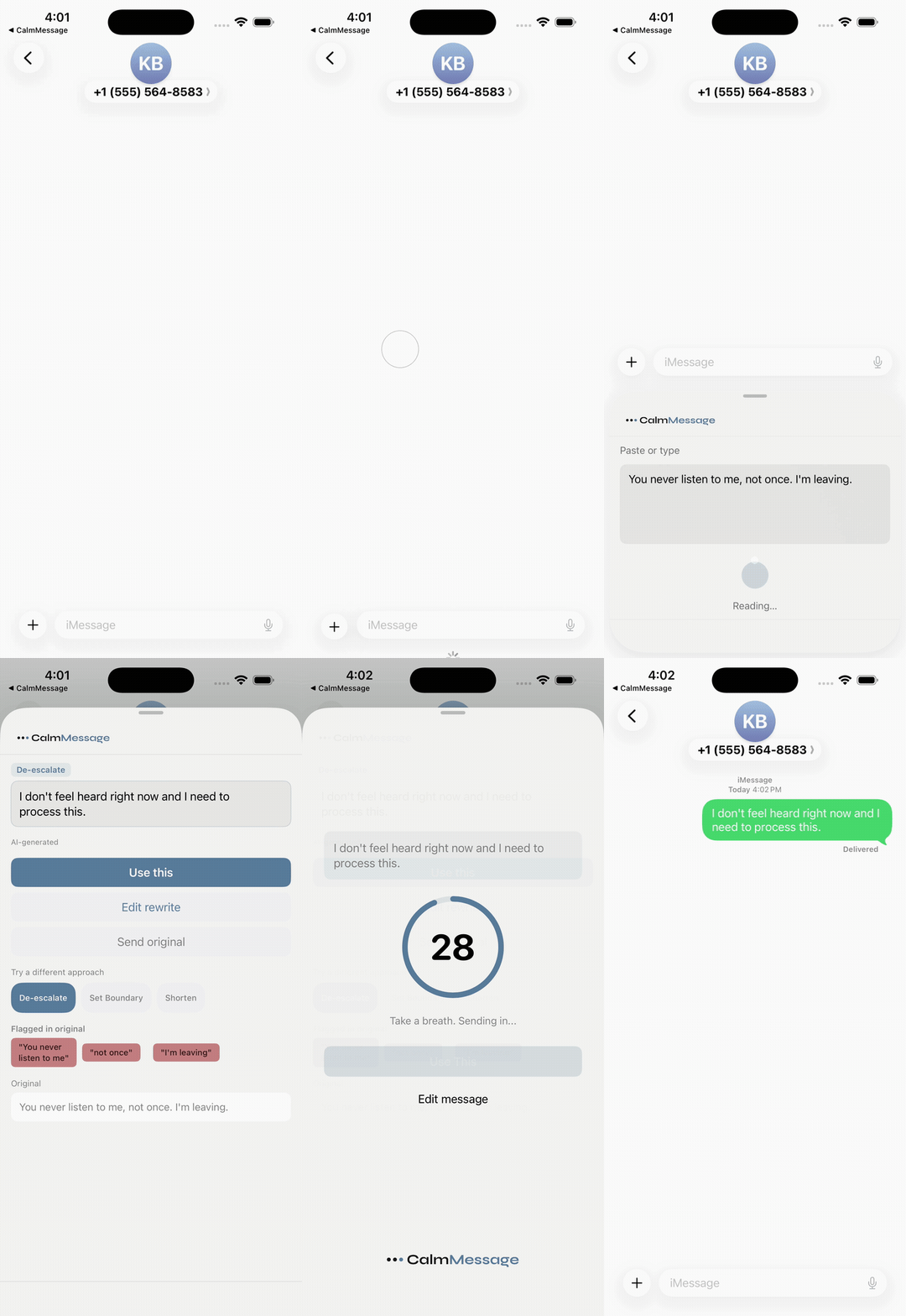
Watch how to use it.
The full flow, start to finish: tap the + next to the text field, choose CalmMessage, paste or type what you want to say, tap Steady this to generate the rewrite, read it, and tap Use this to drop it into your reply.
Open the extension
Tap the + next to the text field in any conversation and choose CalmMessage.
Write your message
Paste in what you've already typed, or draft it fresh right there.
Tap Steady this
CalmMessage reads the message, picks an approach, and generates the rewrite.
Tap Use this
The rewrite drops into your message field. Send it the way you normally would.
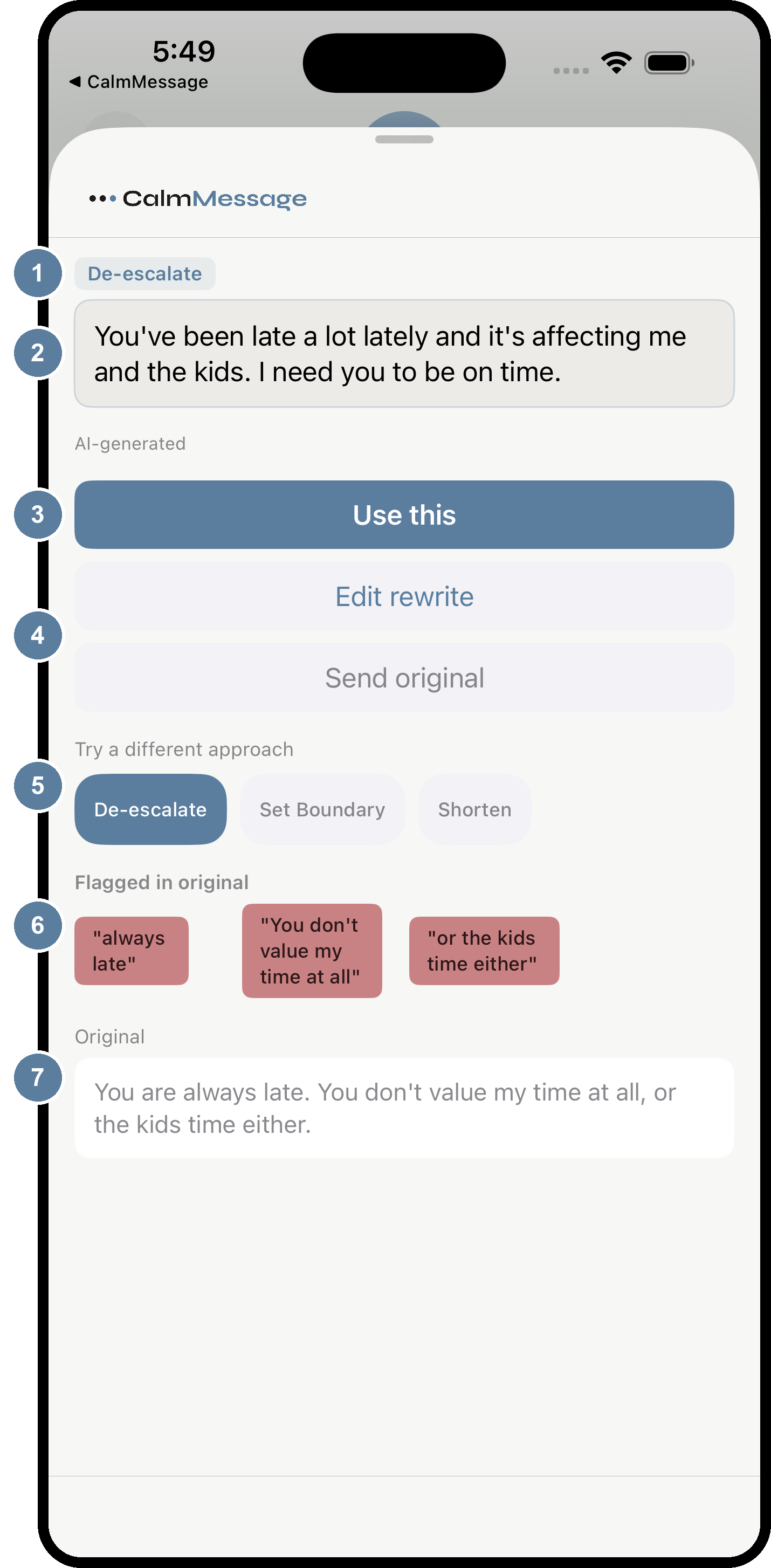
The Rewrite Screen
1. Mode
The approach CalmMessage chose after reading your message. De-escalate cools an accusation. Set Boundary firms up a hedged or over-apologetic ask. Shorten trims a long, repetitive message down to the point.
2. The rewrite
Your message, rewritten. Same intent, calmer delivery. Read this before anything else on the screen.
3. Use this
Drops the rewrite into your message field. One tap, then send the way you normally would.
4. Edit rewrite / Send original
Adjust a word or two before it goes out, or skip the rewrite entirely. Nothing here is forced on you.
5. Try a different approach
Tap another mode to rewrite the same message a different way. Set Boundary firms up a hedged ask. Shorten trims a long one.
6. Flagged in original
The exact phrases that prompted the rewrite. These are notes, not corrections. Over time they show you your own patterns.
7. Original
Your message exactly as you wrote it, kept on screen so you can compare the two.
Still have questions?
Email support@calmmessage.com and we'll help you out directly. Or see the full FAQ.