
Settings
Two taps to your settings.
Your account, usage, and notification preferences live in the CalmMessage app, not inside Messages. Here's where to find them.
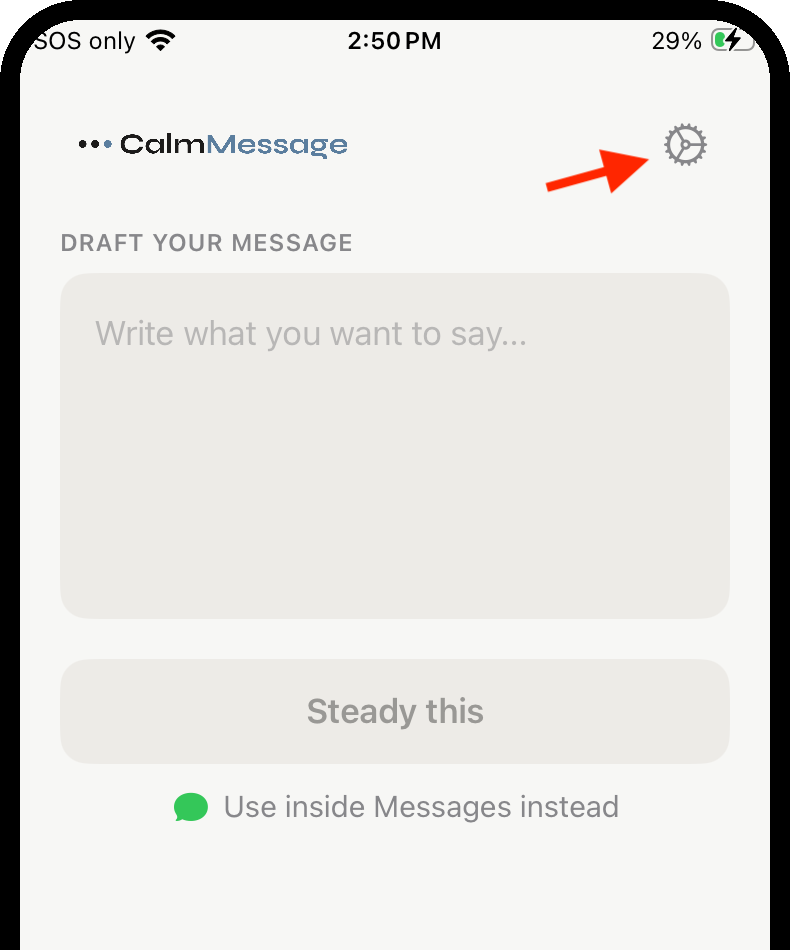
01 — Find it
Open the CalmMessage app.
Not the Messages extension — the standalone CalmMessage app on your home screen. Tap the gear icon in the top right, next to the logo.
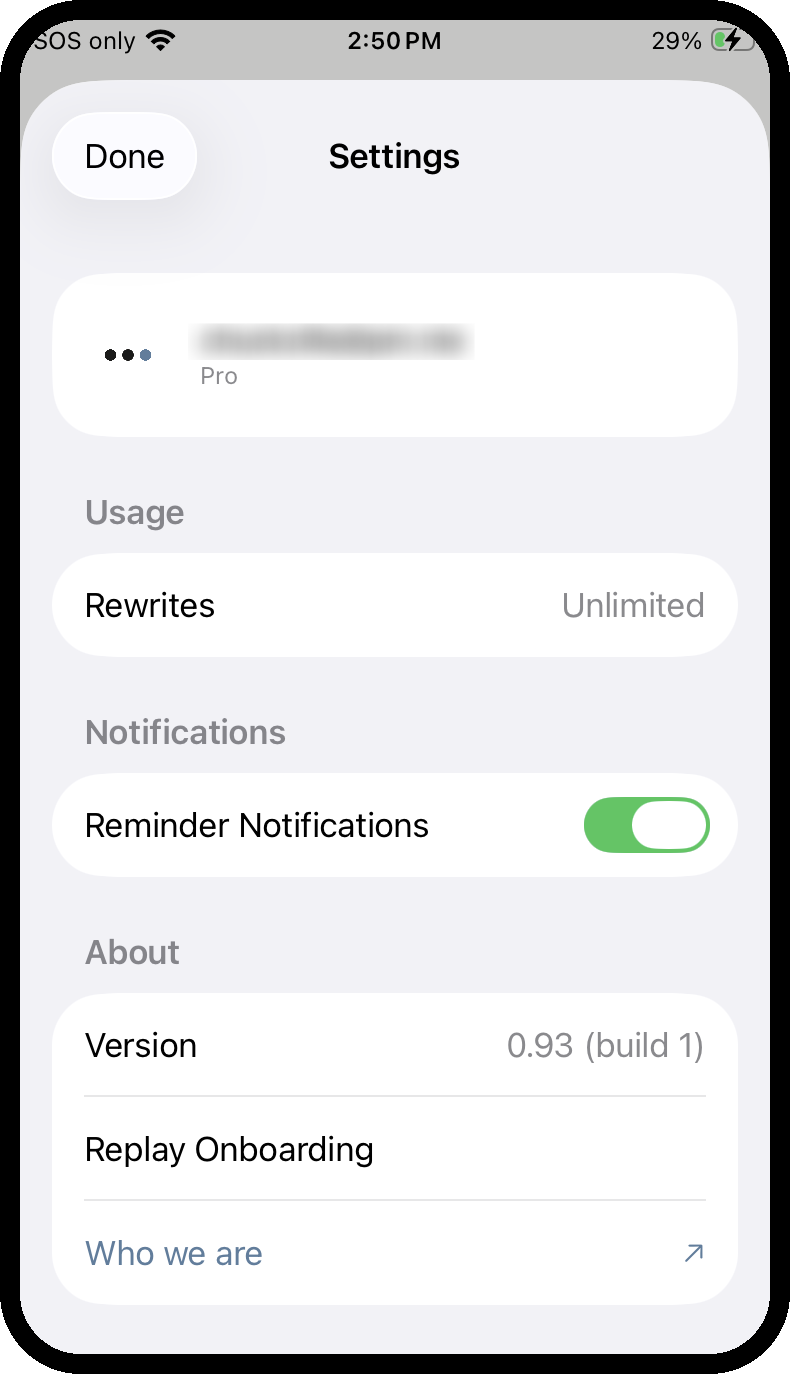
02 — What's there
Everything you can manage.
Account
Your account and subscription tier, right at the top.
Usage
How many rewrites you have left. Unlimited if you're subscribed.
Notifications
Turn reminder notifications on or off. Available whether or not you're signed in or subscribed.
About
Your current app version, a way to replay the onboarding walkthrough, and a link to Who we are.
Still have questions?
Email support@calmmessage.com and we'll help you out directly. Or see the full FAQ.